Lab Area 37
Map usage guide
Interactive map
tips: To search for items, switch to Find mode.
There are two modes: Legend mode and Find mode.
You can switch between them in the sidebar.
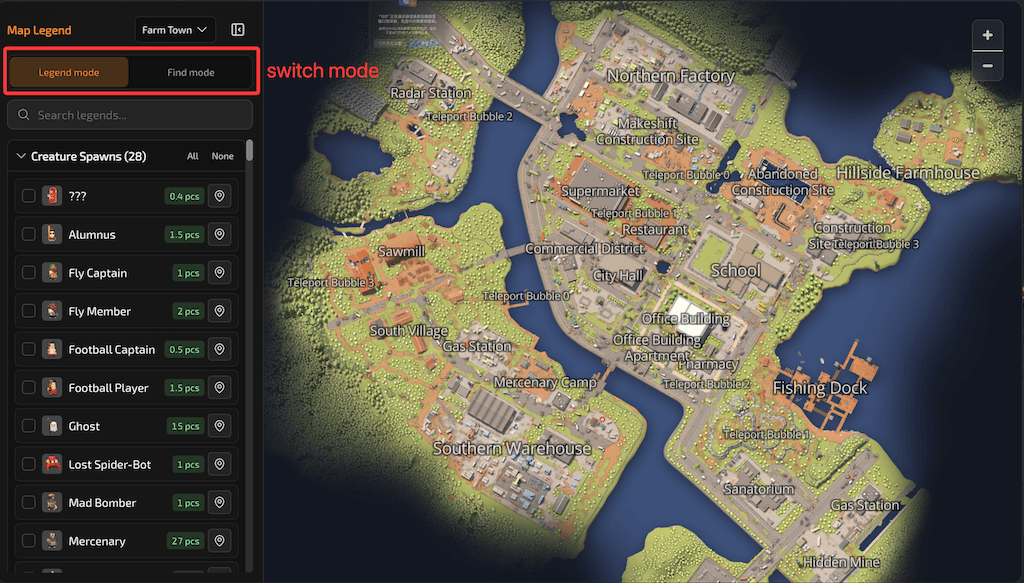
Click a legend entry to open legend details.
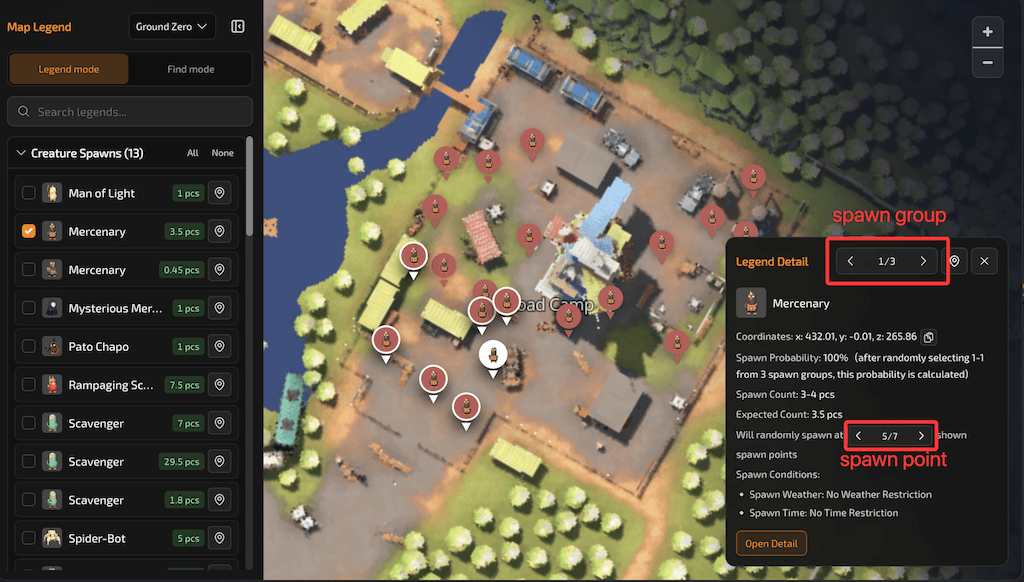
Spawn rule groups and spawn points are the two levels when reading the legend (the UI labels them generators and spawn points—same meaning).
- Generators (spawn rule groups): One legend entry (e.g. one creature type, one item spawn type, or one loot box type) can map to several independent spawn rules in the game—spawn probability, expected count, spawn conditions, etc. can differ. The controls at the top of the detail popup switch between different generators.
- Spawn points: Under the currently selected generator’s rules, these are the specific locations where spawns actually occur on the map (a group often has many points). Use Previous spawn point / Next spawn point in the popup to move between points within the same generator; map markers match these points one-to-one.
Find mode
Quickly find items you want to collect.
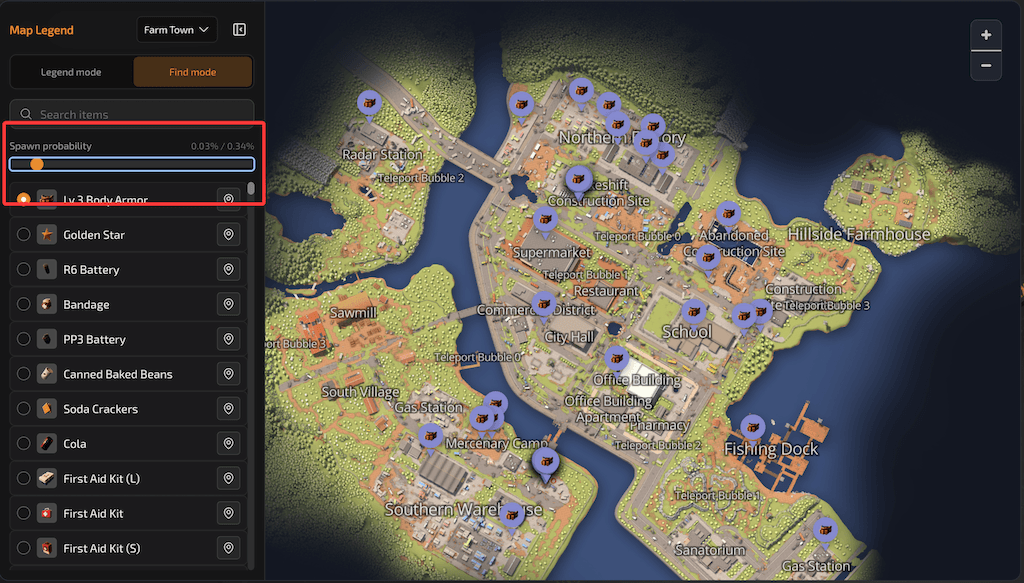
After you search for an item, you’ll see candidates that exist on the current map. Selecting one shows spawn points on the map.
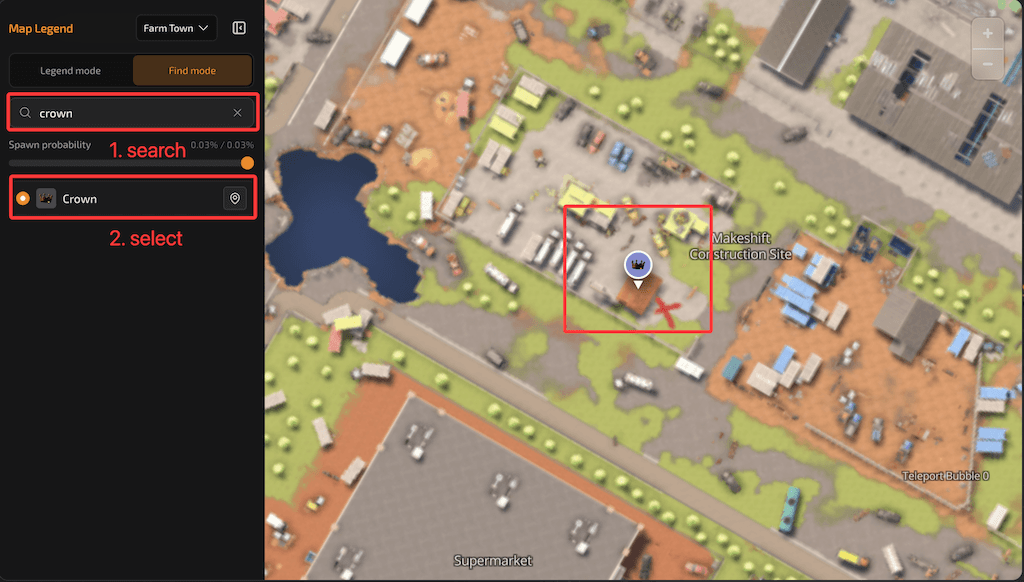
You can use the spawn probability filter to hide points below a threshold (default 10%).
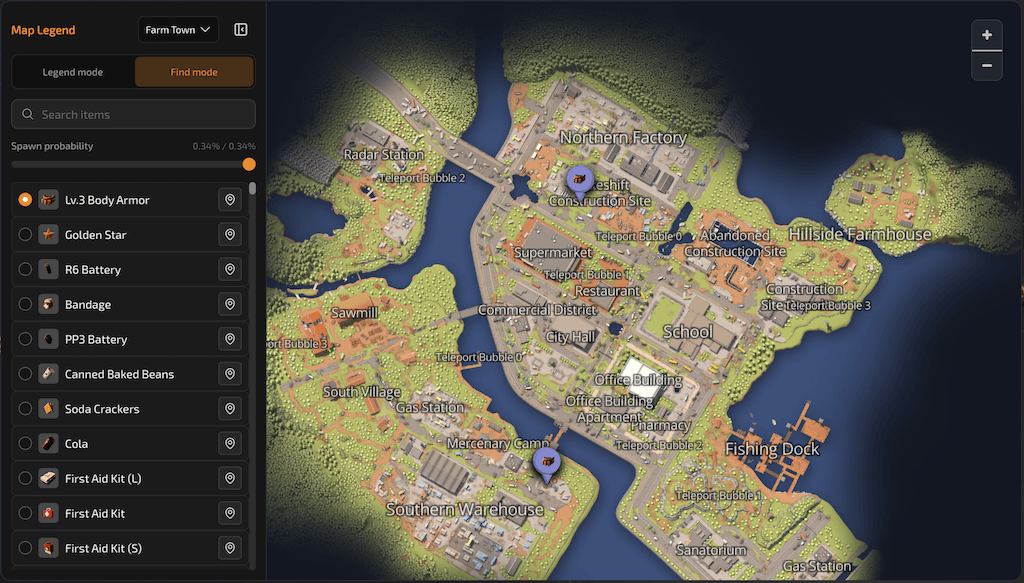
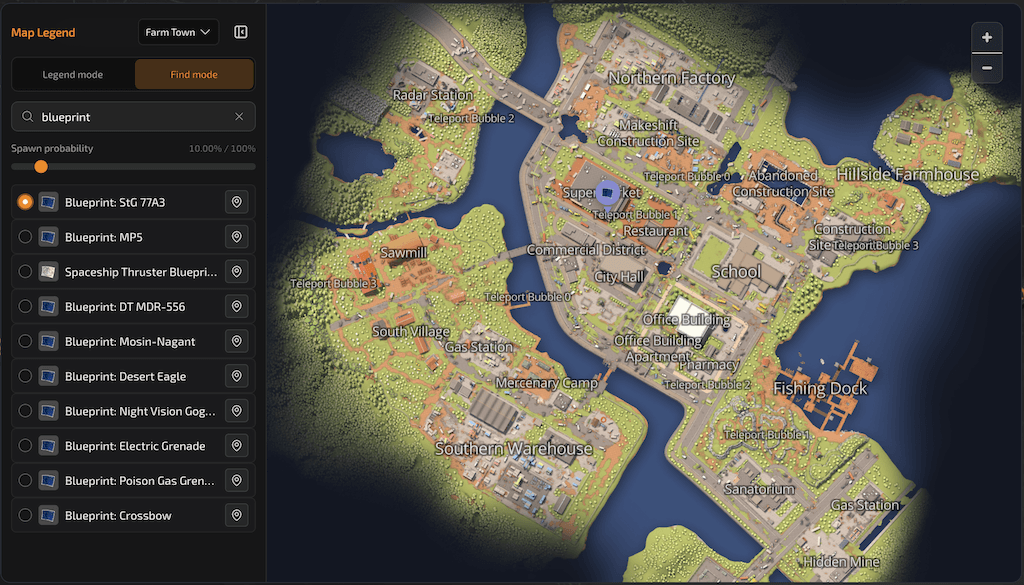
How do I search for blueprints?
Type “blueprint” in the search box to see blueprint candidates. Select the blueprint you want to track; it will appear on the map.
Legend mode
Quickly view enemies, item spawns, and loot on the map.
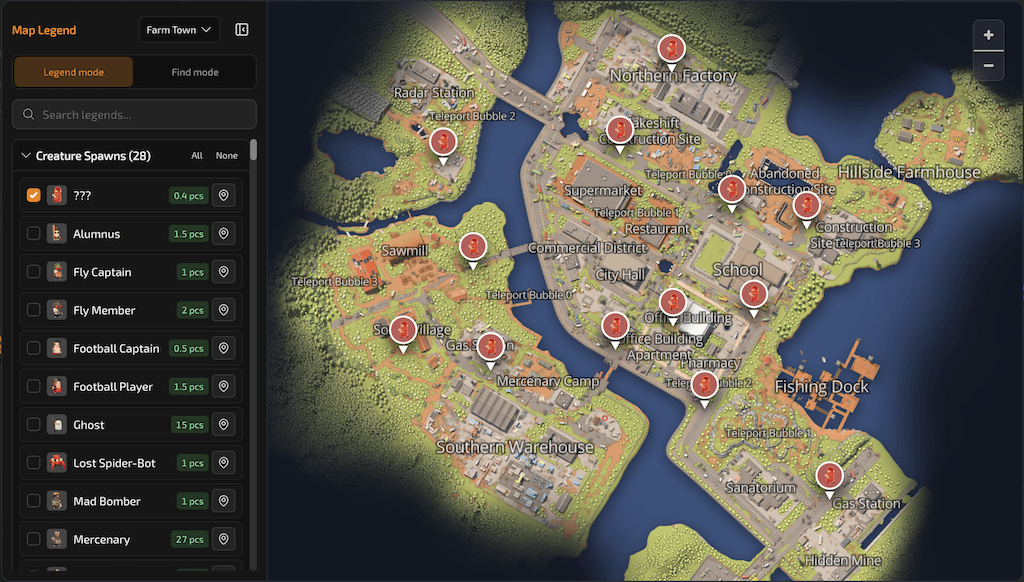
Entries are grouped into three types: creatures, item spawn points, and loot. You can narrow the list with search.
You can multi-select different legend types.
Selecting everything is not recommended—it can hurt performance and freeze the page.
Select a legend entry to open details, then switch generators and spawn points to see different distributions.