
Escape From Duckov Save File Location
The save file location for the latest version of the game on Windows/macOS can be found using the following method:
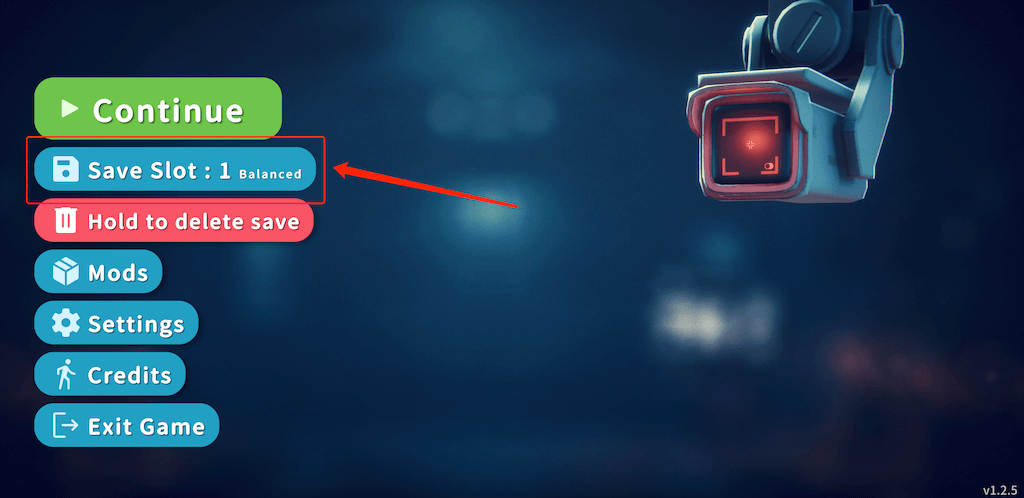
Enter the game main menu and select Save
Find "Copy Save Path" and click to copy
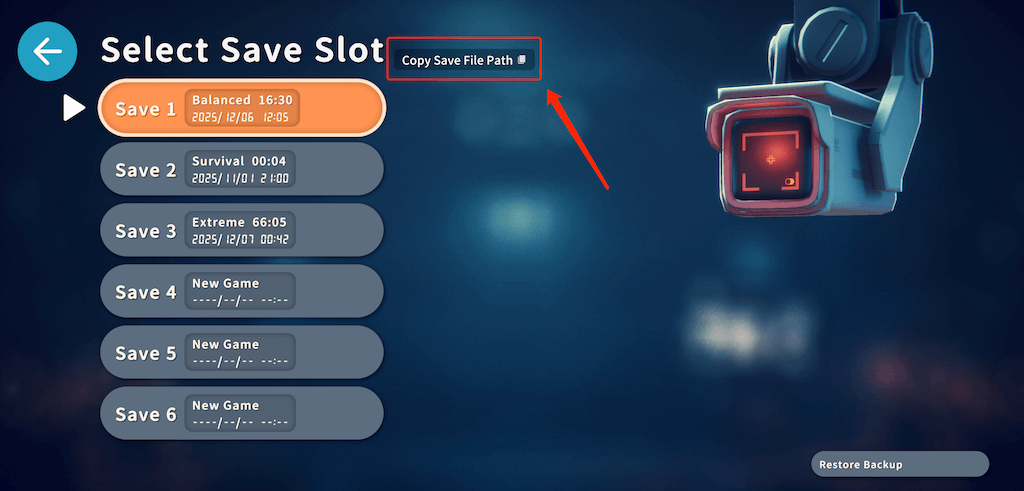
The button position may vary on different platforms, but it can be found in this save selection interface.
How to Open Save Directory on macOS
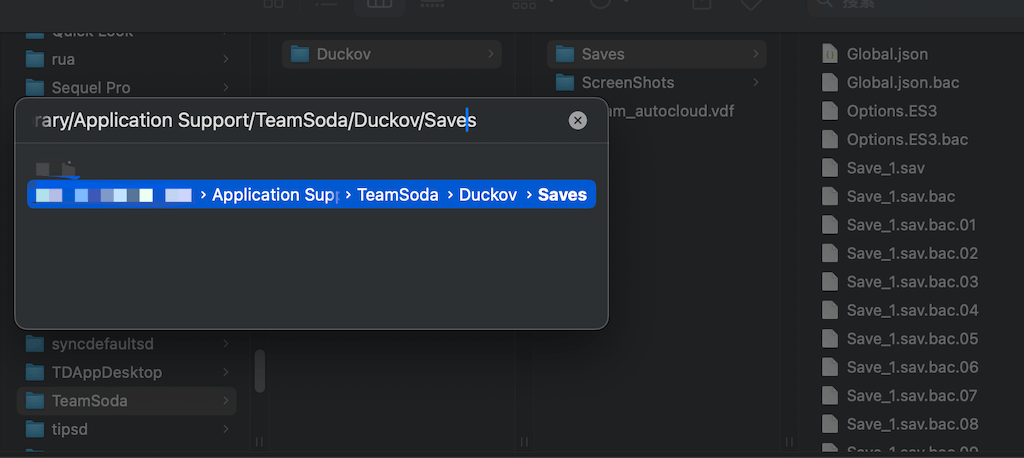
When running the game on macOS, after clicking copy you will see: /Users/xxx/Library/Application Support/TeamSoda/Duckov/Saves
Then open Finder, press the shortcut cmd + shift + G, then cmd + v to paste the path, and press Enter to enter the save directory.
The Save_1.sav file here is the first save slot, and so on.
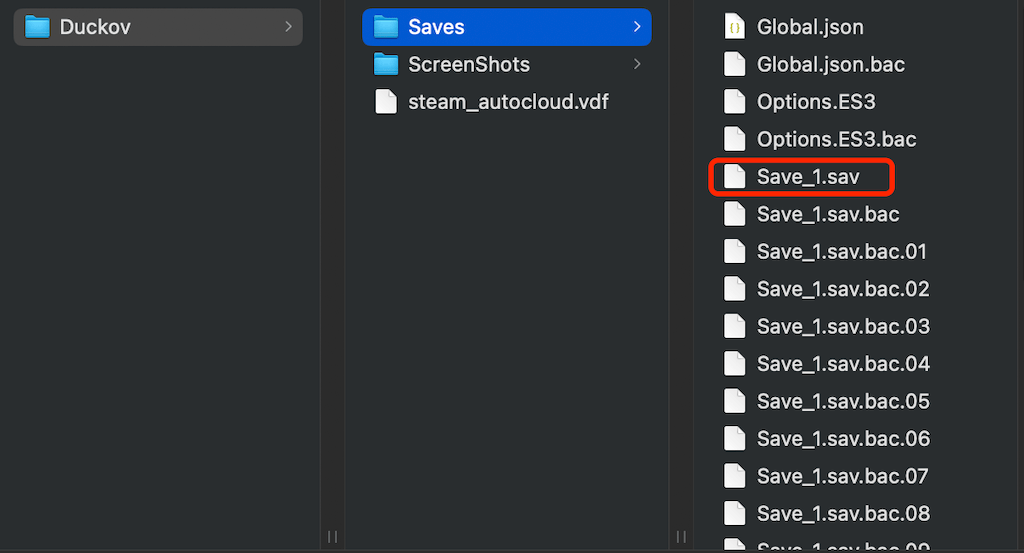
If you want to replace a save file, it's recommended to rename the original file as a backup first, then rename the save file you want to replace to Save_x.sav, where x is the save slot number.
How to Open Save Directory on Windows
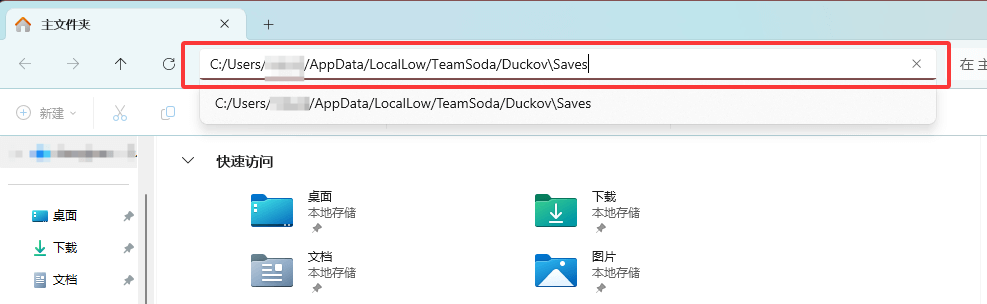
When running the game on Windows, copy the save directory: C:/Users/xxx/AppData/LocalLow/TeamSoda/Duckov\Saves
Then open File Explorer, paste the path in the address bar using ctrl + v shortcut, and press Enter
Similar to macOS, Save_1.sav here is also the first save slot, and so on.
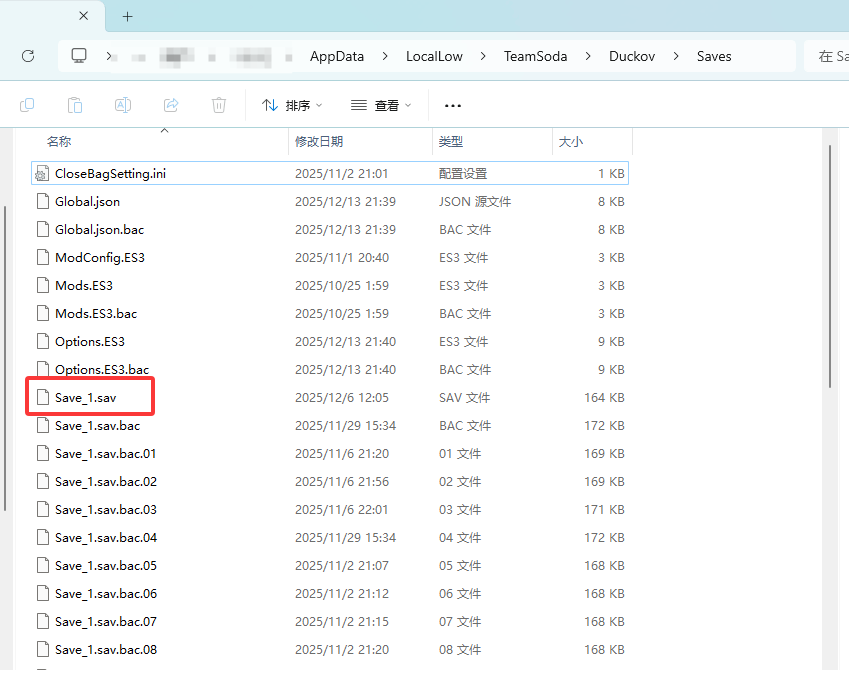
If you want to replace a save file, it's recommended to rename the original file as a backup first, then rename the save file you want to replace to Save_x.sav, where x is the save slot number.